curfew-extension
 # Curfew
**The internet curfew for your distraction sites.**
Daily time budgets for the sites you choose, enforced at the network level.
Local-only. Zero tracking. Zero install warnings.
**Rules you have to mean:** relaxing one costs a solved puzzle, not a click.
# Curfew
**The internet curfew for your distraction sites.**
Daily time budgets for the sites you choose, enforced at the network level.
Local-only. Zero tracking. Zero install warnings.
**Rules you have to mean:** relaxing one costs a solved puzzle, not a click.
 [](https://github.com/devacc8/curfew-extension/actions/workflows/ci.yml)
[](https://chromewebstore.google.com/detail/curfew/obnikdokealeimpbhfbjhpdmfcgbgcje)
[](LICENSE)


[Why](#why-willpower-is-not-a-plan) · [Willpower Protection](#willpower-protection) · [Features](#features) · [Privacy](#privacy) · [Development](#development)
[](https://github.com/devacc8/curfew-extension/actions/workflows/ci.yml)
[](https://chromewebstore.google.com/detail/curfew/obnikdokealeimpbhfbjhpdmfcgbgcje)
[](LICENSE)


[Why](#why-willpower-is-not-a-plan) · [Willpower Protection](#willpower-protection) · [Features](#features) · [Privacy](#privacy) · [Development](#development)
Why willpower is not a plan
There is no shortage of extensions that limit how long you spend on a site. They share one weakness: you can switch them off with a click. So the whole thing rests on willpower, and willpower is exactly what ran out ten minutes ago, when you are deep in a feed and want one more scroll. A budget you can remove in one click is a budget you will remove.
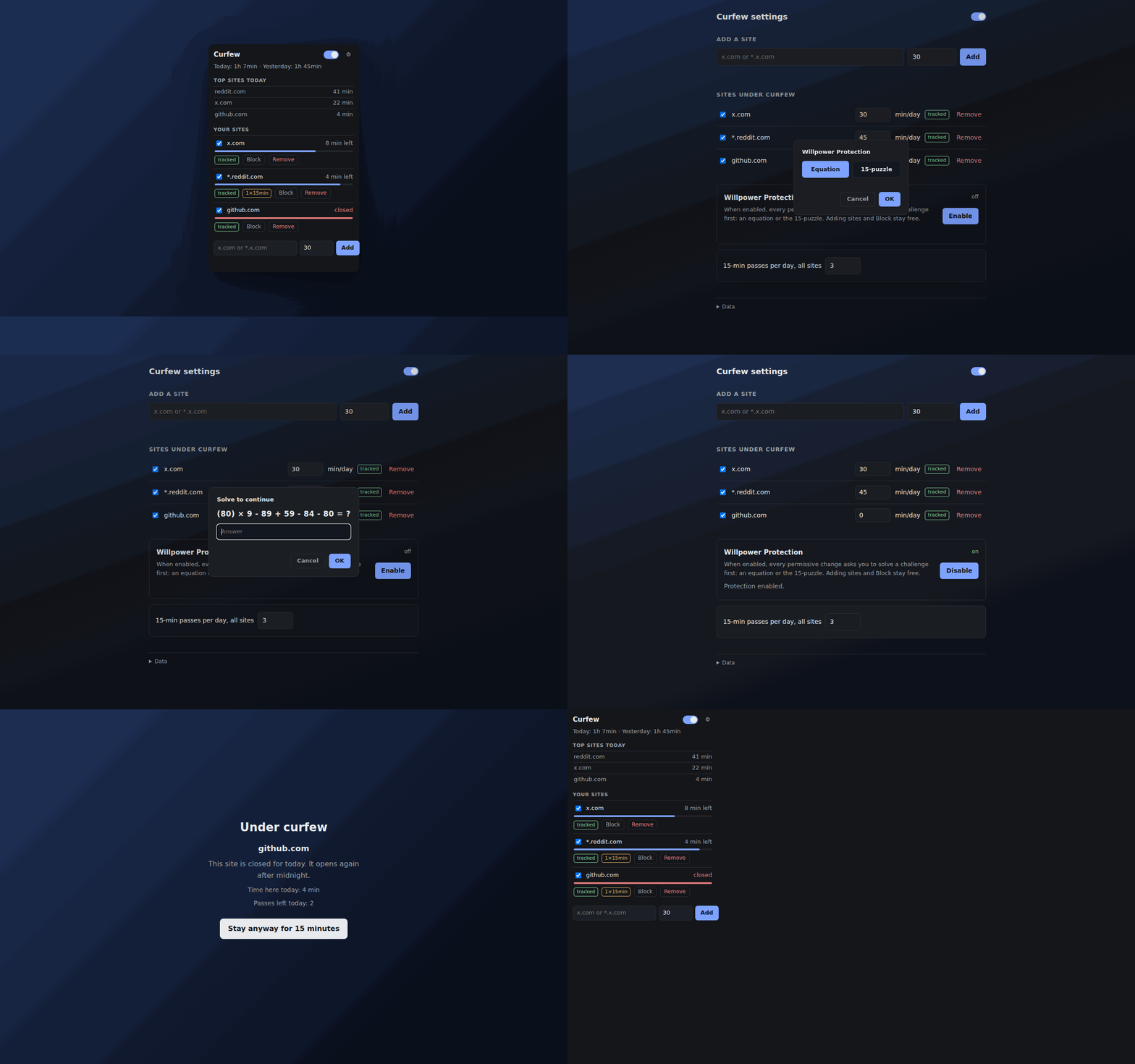
So I put a puzzle in front of every way out. Want to keep scrolling after the budget is
gone? Solve (79) × 7 + 77 + 61 + 65 = ? first. Want to disable the budget, delete the
site, or import a config with looser rules? Same puzzle. The part of you that wanted the
feed now has to do arithmetic, and that is the whole trick: in practice, it gives up.
And you keep control. This was never meant to be a jail. When something genuinely needs to change, you will solve the puzzle, and the fact that you did is the point: the decision became deliberate instead of automatic. Adding sites and blocking them stays free, because those are the directions that help you.
Call it a prosthetic for willpower. It does not make you disciplined, and it does not pretend to. It puts one small piece of structure exactly where the discipline runs out, and it comes off when you genuinely decide to take it off.
The rest of the extension is the boring part that makes the lock worth having: real budgets, enforced for real.
Willpower Protection
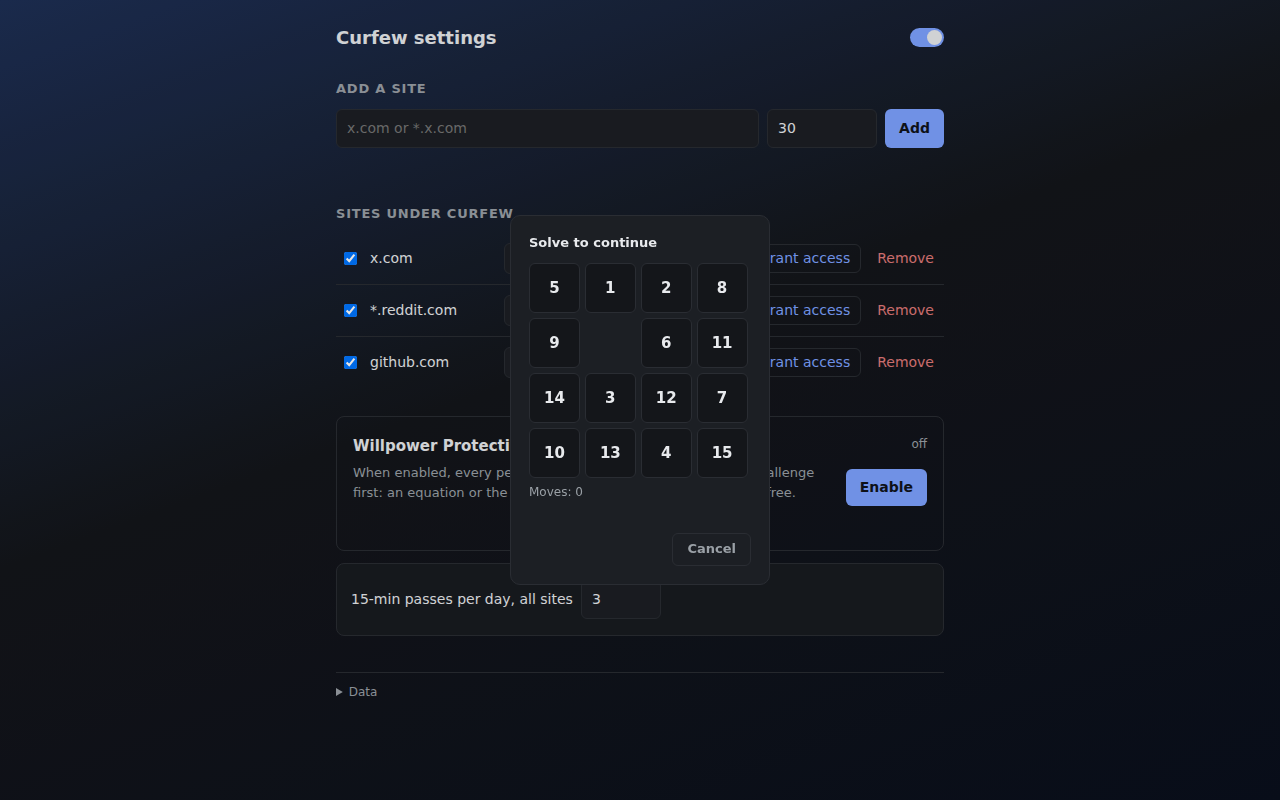
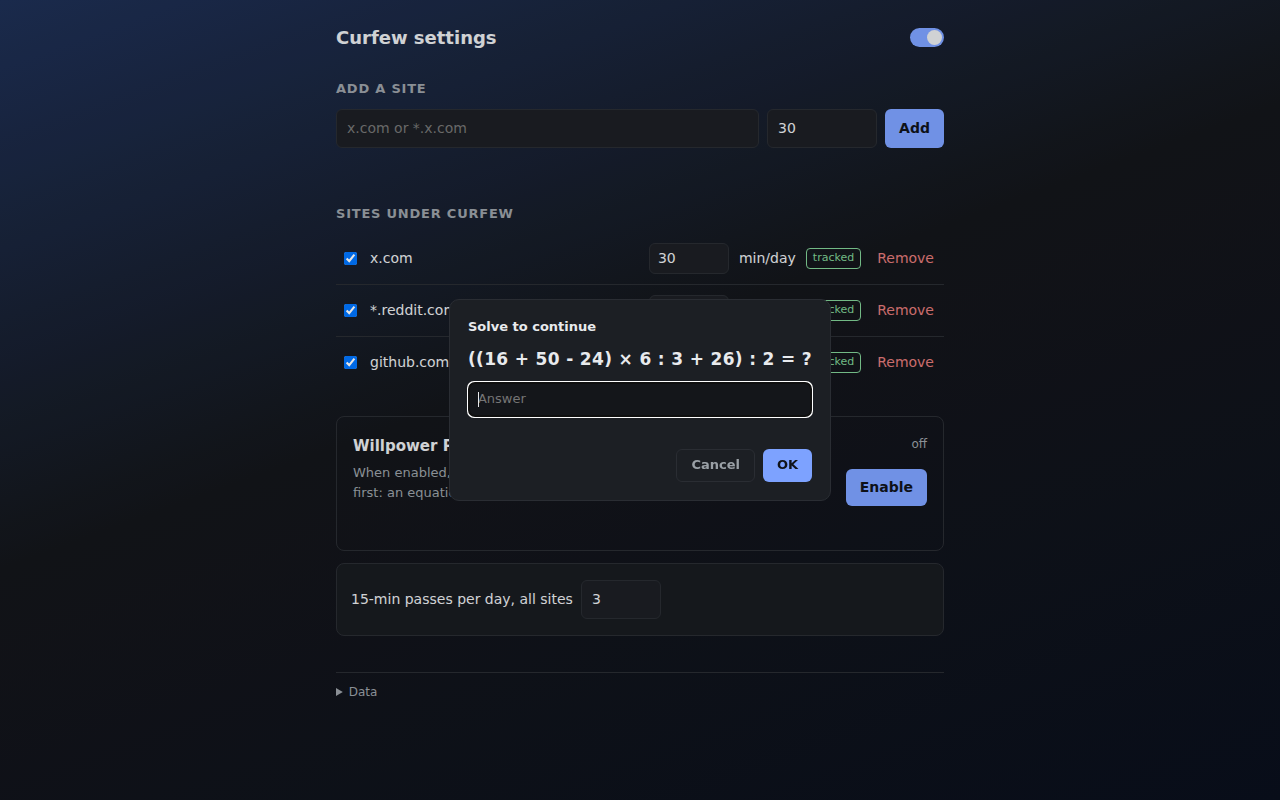
Optional mode for the hard days. When it is on, every permissive change asks you to solve a challenge first:
- Equation: something like
(79) × 7 + 77 + 61 + 65 = ?. Five to seven terms, brackets, two-digit numbers, a fresh one on every attempt, so a remembered answer is worthless - 15-puzzle: the classic sliding game, always solvable, never quick
What it gates:
- staying on a site whose budget is spent, instead of waiting for midnight
- disabling or raising a budget
- removing a site from the list
- importing a config file
What stays free: adding sites, editing patterns, blocking, and tightening a limit (a smaller budget, a longer cooldown, a shorter session limit). The lock only guards the direction you regret.
Features
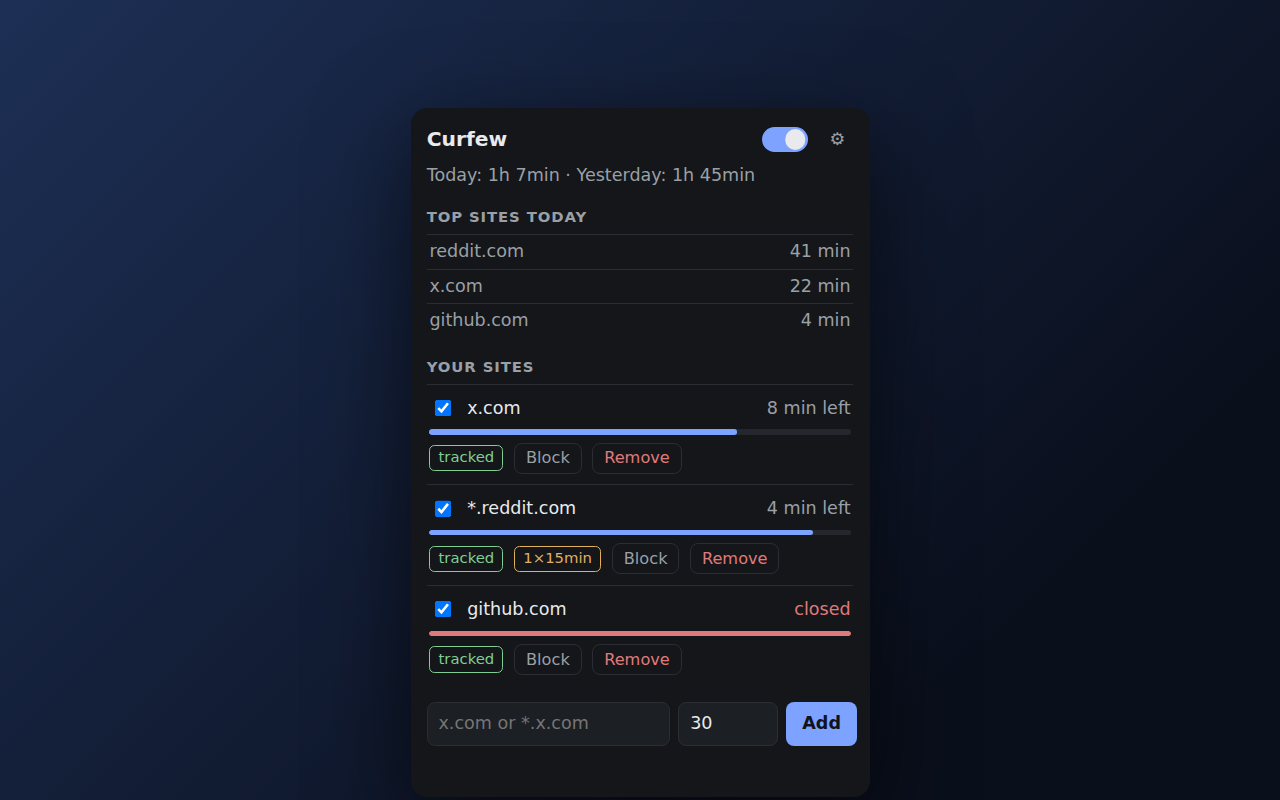
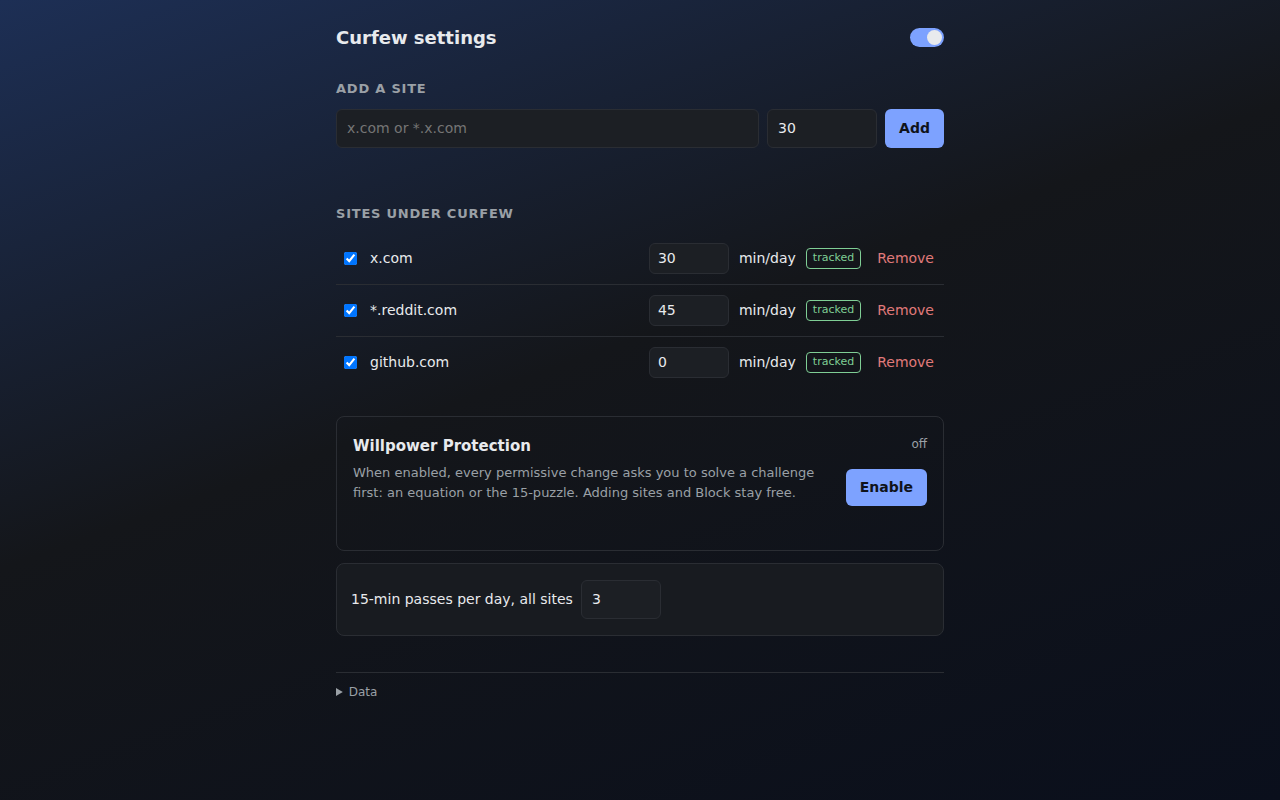
- Daily budgets per site:
x.comexactly or*.reddit.comwith subdomains; minutes per day, reset at local midnight - The wall: when the budget is spent, the site is redirected at the network-request level: no flash of content, works even while the extension sleeps
- Session limit + cooldown: cap one unbroken visit (e.g. 10 min), then the site takes a break (e.g. 5 min). The infinite scroll, interrupted
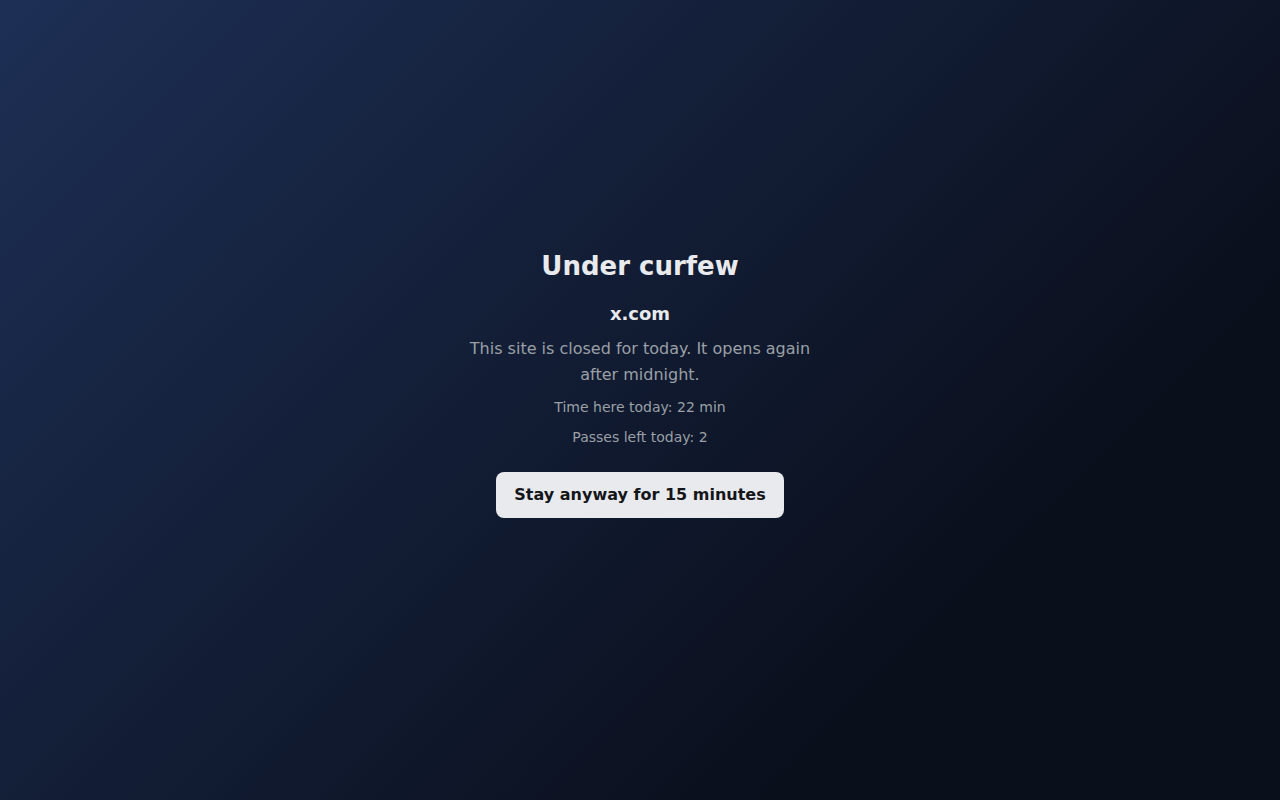
- Stay anyway, honestly: 15-minute passes exist on purpose, and every one of them is counted and shown in the dashboard
- Willpower Protection: the puzzle gate described above, and the reason this extension exists at all
- Active time only: idle (60 s), unfocused windows and accidental hops don’t count
- Local only: no accounts, no sync, no analytics, no external calls. Uninstalling deletes everything
See more screenshots
How it works
- Add a site: right-click any page → “Add this site to Curfew”, or type a domain. Chrome asks for access to that site, and only that site
- Set a budget: e.g. 30 min/day. Time counts only while you are actually looking at the site
- Hit zero: a request-level rule intercepts the site and shows the wall: time spent today, passes left
- Stay anyway? 15-minute passes, counted honestly in the dashboard. Or wait: the wall comes down by itself at midnight
At install the browser shows zero warnings: the extension gets access only to the sites you add, one prompt per site, revocable at any time.
What this is not
- Not unbreakable. Chrome lets you disable any extension, and Curfew is no exception, by design. The goal is friction between the impulse and the action, not a jail
- Not whole-internet blocking. It covers the sites you add. YouTube for study and X for work can stay open; the problem was never the site, it was the infinite scroll
- Not another report to admire. It counts your time and then acts on the count
- Not listening. No accounts, no sync, no analytics, no remote code
Privacy
The full policy, the same text the Chrome Web Store listing links to: PRIVACY.md.
- No data leaves the browser. No accounts, no sync, no analytics, no error reporting, no remote code
- Everything lives in
chrome.storage.local; the only bytes out are a manual export file you create - The full permission surface is visible per-site and revocable in
chrome://extensions - Uninstalling deletes everything. There is no external copy
Install
From the Chrome Web Store:
Install Curfew on Chrome 121 or newer, or any Chromium browser that takes Chrome extensions.
From source (Chrome 121+):
git clone https://github.com/devacc8/curfew-extension.git
cd curfew-extension
npm ci
Then: chrome://extensions → Developer mode → Load unpacked →
select the curfew-extension folder.
Development
npm test          # eslint + tsc --noEmit + unit tests (node --test)
npm run smoke     # E2E: real Chrome clicks through the protection flows
npm run package   # build the Chrome Web Store zip into dist/
npm run capture   # regenerate store screenshots + README demo gif
npm run promo     # regenerate the store promo tiles
npm run gen:icons # regenerate icons
The nontrivial logic (time math, pattern grammar, budget decisions, puzzle
and equation generators) lives in pure modules under src/common/ and is
fully unit-tested; security invariants (permission allowlist, no network
calls, web-accessible surface) are enforced by tests as well.
Deep design documents:
- Technical design: architecture, algorithms, decision log
- Project doc: product spec, milestones, roadmap
- Store checklist: listing copy, permission justifications, submission steps